Landing Page
The installation of the application represents only the first step in the partner's journey. For those who will enter a managed and assisted onboarding flow, displaying a Landing Page provides greater clarity, alignment, and understanding of the next steps for the merchant.
🎯 Essential Functions of the Landing Page
1. Clarity and Direction for the Next Step
- After installation, the Landing Page should act as a visual guide, directing the merchant on the next actions.
- This direction is essential to prevent a drop in engagement immediately after installing the application.
2. Preparation for Assisted Onboarding
- In flows that require management and support, the Landing Page should be the central point for the partner to:
- complete the pre-registration;
- schedule the first contact (when applicable); or
- receive information that the responsible team will get in touch.
3. Resource Centralization
- The Landing Page works as a temporary hub, centralizing essential documentation such as FAQs, tutorial videos, and partnership policies.
- This optimizes the connection with the merchant, allowing them to obtain, in a self-service way, the initial knowledge needed about processes and next steps.
Without an intermediate guidance step, we risk merchants abandoning the application. Below, we compare two post-installation flow scenarios:
▶️ Scenario 1: Direct Installation (without landing page)
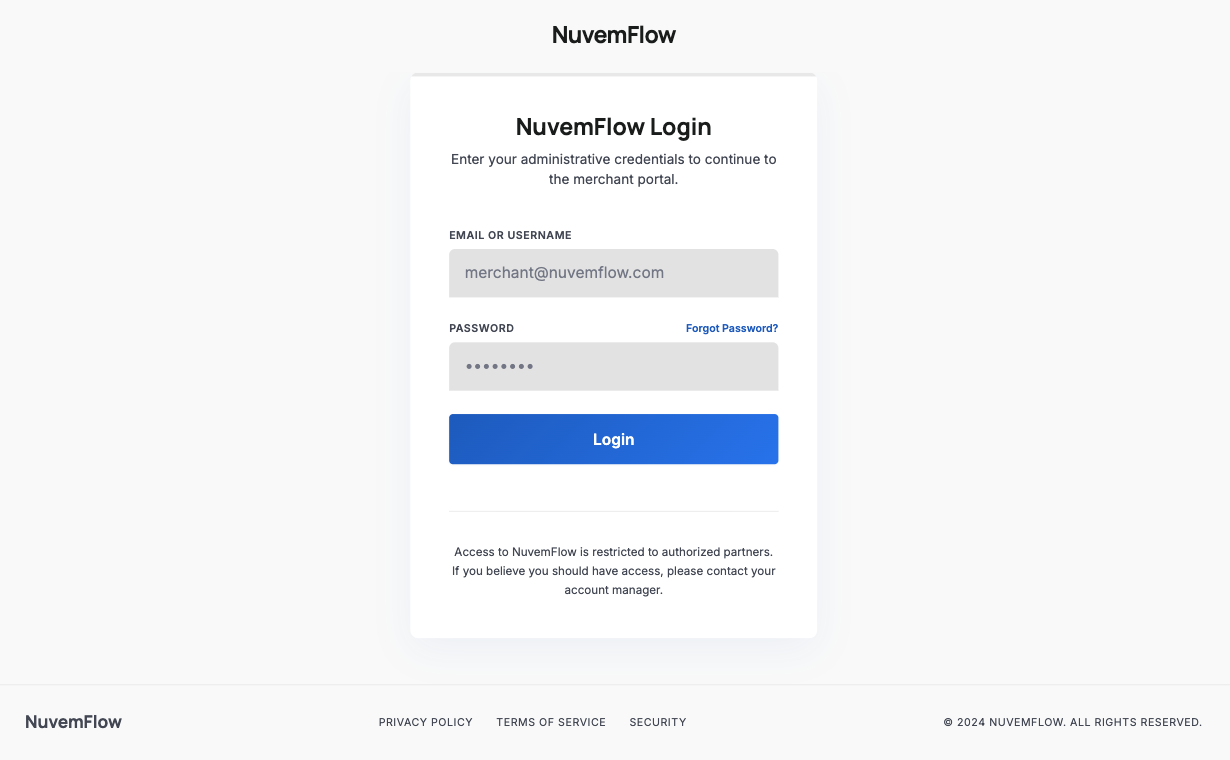
In this model, the merchant installs the app and is immediately confronted with the Login/Authentication screen.
The Problem: If the merchant discovered the app through the App Store and does not yet have a commercial partnership or active account, they will encounter an impassable barrier.
The Frustration: How do they obtain credentials?
- Is there a registration portal?
- Where are the support or sales channels?
Consequence: Without clear instructions, the merchant uninstalls the application for not knowing how to proceed with the partnership, resulting in a lost business opportunity.
The Experience Failure (UX): In many implementations, the adopted solution is direct redirection to the institutional website. This practice is not considered a good experience because:
Context Break: The user is abruptly removed from the native application environment to an external browser, causing disorientation.
Conversion Friction: The effort required to leave the app, fill out forms on another site, and then return to the app drastically increases the abandonment rate.
Perception of Value: The app stops appearing as a working tool and starts being seen only as a "shortcut" to a website, reducing the relevance of the installation.
▶️ Scenario 2: Optimized Flow (with landing page)
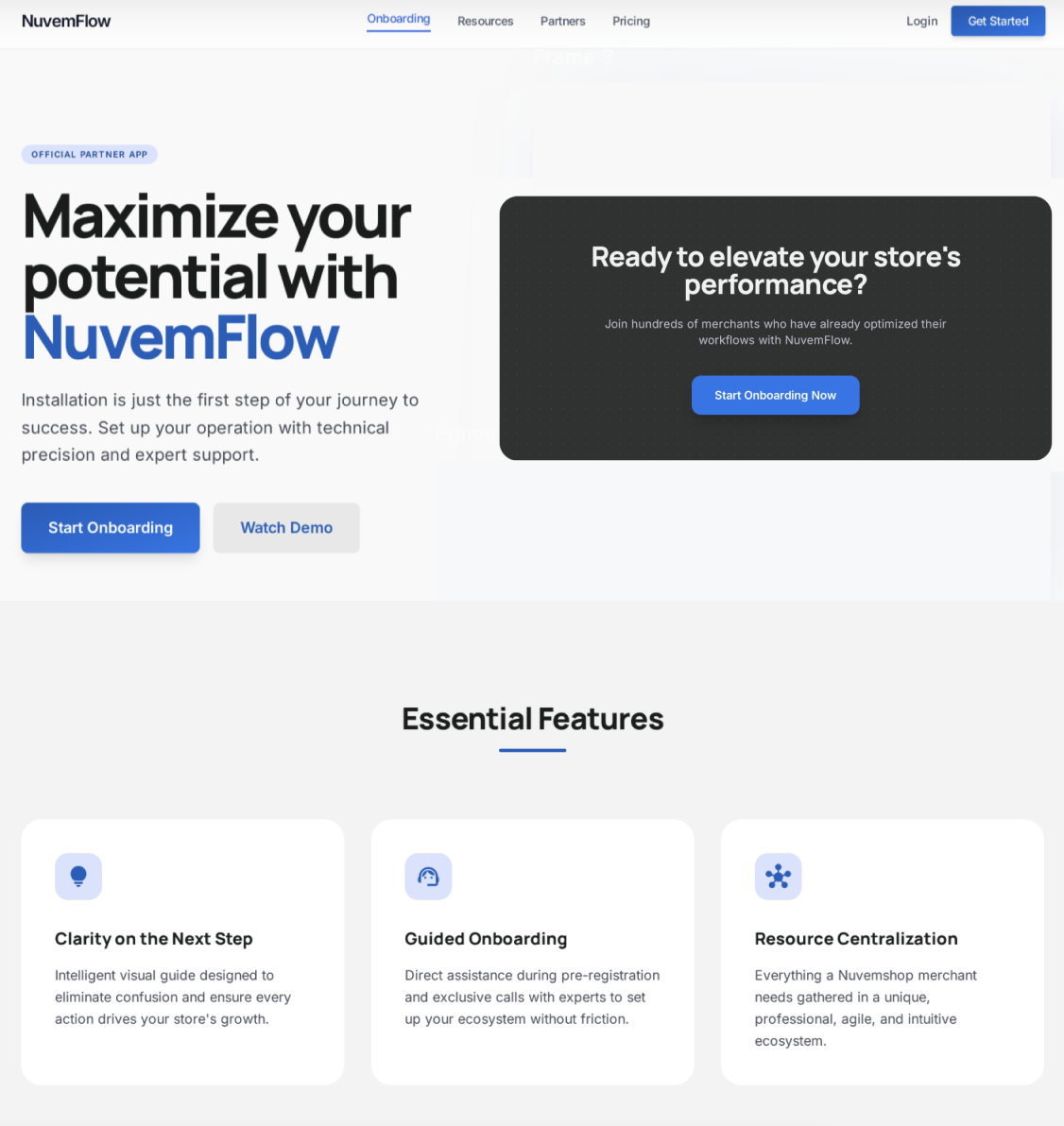
By including a Landing Page right after installation, we provide a clear map for two distinct user profiles:
For users who are already partners, the landing page offers a direct and fast path.
- Action: "I am already a partner / Log in" button.
- Result: Smooth and frictionless experience for those who already know what to do.
For prospects (new users), the landing page acts as an onboarding guide.
Action: "I want to become a partner" or "Learn more" button.
Onboarding Flow:
- Visibility: Quick presentation of the app's benefits.
- Next Steps: Clear instructions on how to start the commercial partnership.
- Conversion: Direction to a contact form, sales WhatsApp, or pre-registration page.
✨ Benefits of the Flow
- Increased activation rate: Well-informed and properly guided partners are more likely to complete onboarding and become active users of the application.
- Early qualification: The Landing Page can include forms that help qualify and segment the partner, allowing a more personalized approach before the first contact.
- Professional and trustworthy experience: A structured flow conveys professionalism and trust, reinforcing the value of the partnership and the application from the beginning.